

What Is Interior Design Software — and Why Does It Matter for Your Career?
Interior design software is the set of digital tools that designers use to draft floor plans, build 3D models, produce photorealistic renders, create client presentations, manage projects, and document material specifications. In India’s rapidly growing design industry — where the real estate market is projected to reach $1 trillion by 2030 according to industry analysts — software proficiency has become a baseline hiring requirement, not a bonus skill.
The right software does not make you a designer. Design thinking, spatial reasoning, material knowledge, and client understanding are what make a designer. Software is simply how you communicate those ideas with precision. But in a competitive job market where firms like Livspace, Godrej Interio, and Asian Paints receive hundreds of applications for every open role, the candidate who can draft a technical drawing, build a 3D model, produce a photorealistic render, and deliver a polished presentation on the same day consistently advances further than the one who cannot.
This guide covers every major software category used in Indian interior design practice — from foundational CAD tools to AI-powered design generators — with India-specific pricing, honest limitations, job-readiness ratings, and a step-by-step learning roadmap built for students at every stage.
Quick Summary
- Must-learn for every student: AutoCAD (free for verified students), SketchUp, Adobe Photoshop
- High career impact: 3ds Max, Lumion, Revit (for studio and BIM roles)
- AI tools worth learning: ArchiVinci, RoomGPT, Planner 5D AI — as support tools, not replacements
- Free student licences exist for AutoCAD, 3ds Max, Revit, and SketchUp (limited free plan)
- India-specific pricing for all tools included in this guide
- Critical gap most articles ignore: Portfolio tools, site survey apps, and project management tools are as important as CAD for a complete professional workflow
Why Software Proficiency Directly Affects Your Salary in India
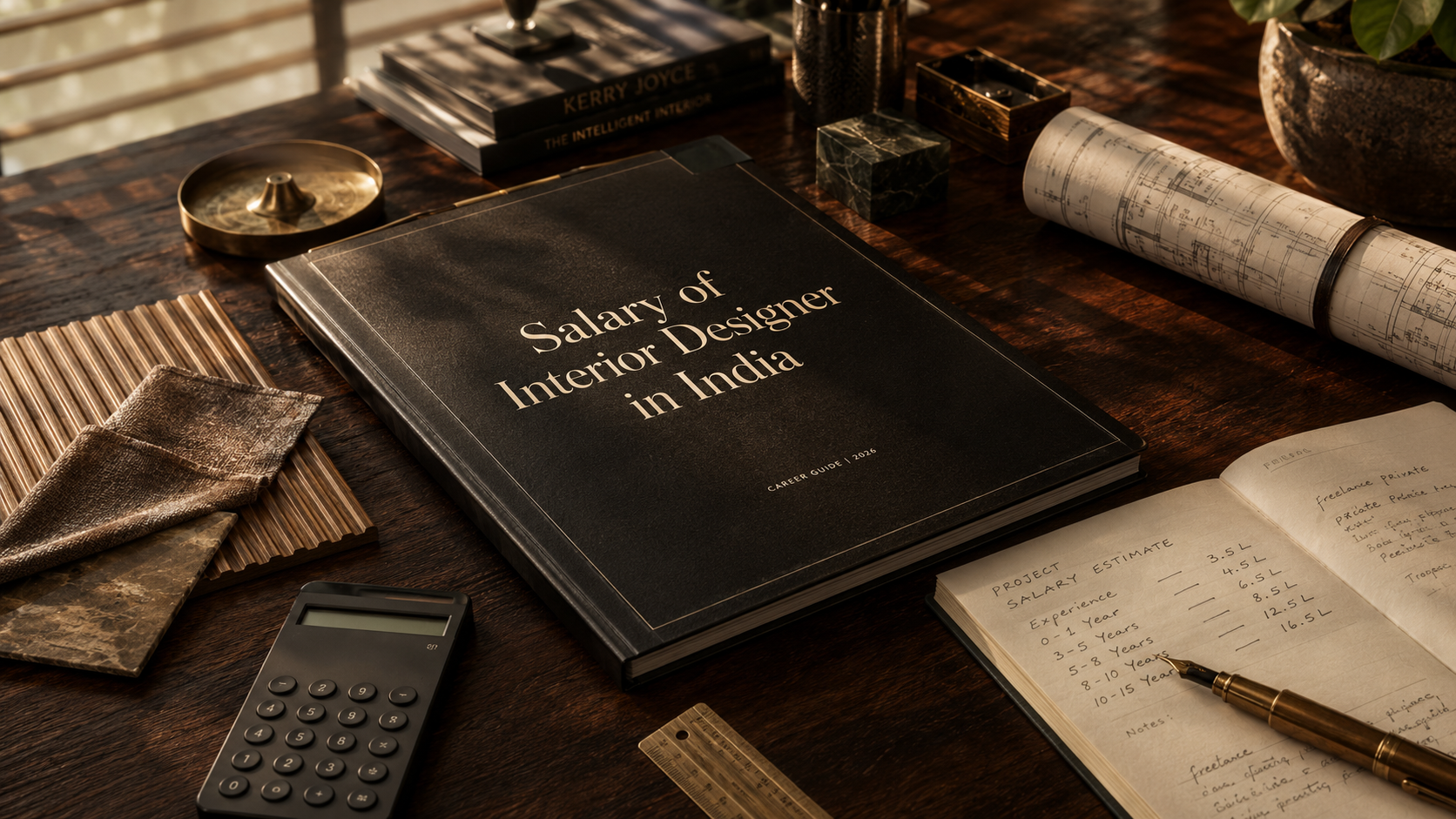
A 2026 analysis by Novatr, a built-environment education platform, found that interior design graduates with confirmed AutoCAD and SketchUp proficiency typically secure initial offers between ₹3.2 LPA and ₹4.5 LPA — the upper portion of the entry-level range. Graduates without verifiable software skills often start between ₹2 LPA and ₹2.5 LPA at the same firms.
The gap widens with experience. A mid-level designer who can produce photorealistic Lumion renders independently commands a significantly higher project rate than one who relies on outsourced visualisation. This is particularly relevant in Indian cities — Bangalore, Mumbai, Delhi, and Hyderabad — where residential renovation projects routinely require client-ready 3D walkthroughs before a single rupee of execution budget is released.
To understand the full picture of what interior designers earn at different career stages in India, read the detailed salary of interior designers in India breakdown.
The Complete Interior Design Software Stack
Most articles list tools in isolation. That misses the point. Professional interior designers use a toolchain — a sequence of software that takes a project from initial brief to final handover. Understanding where each tool sits in that chain tells you exactly what to learn, in what order, and why.
| Stage | Purpose | Tools Used |
|---|---|---|
| 1. Technical drafting | Floor plans, elevations, working drawings | AutoCAD, DraftSight |
| 2. 3D modelling | Spatial concept, furniture layout, volumes | SketchUp, 3ds Max |
| 3. Rendering | Photorealistic client visuals | Lumion, V-Ray, Enscape, Foyr Neo |
| 4. BIM | Coordinated construction data | Revit |
| 5. Space planning | Quick layout studies, client apps | Planner 5D, RoomSketcher, Coohom |
| 6. Presentation & moodboard | Client decks, material boards | Canva, Adobe InDesign, Photoshop |
| 7. AI tools | Concept generation, rapid visualisation | ArchiVinci, RoomGPT, Planner 5D AI |
| 8. Project management | Timelines, budgets, procurement | Houzz Pro, Excel, Google Sheets |
| 9. Site survey | On-site measurement and documentation | MagicPlan, CamMeasure |
| 10. Portfolio | Job applications and client prospecting | Behance, Adobe Portfolio, Canva |
Understanding this full stack is the foundation of a strong interior design career. For a broader view of how these skills connect to professional practice, see the guide on how to become an interior designer in India.
2D Drafting and CAD Software
AutoCAD
AutoCAD by Autodesk is the non-negotiable foundation of technical interior design practice in India. Almost every professional interior design role in the country lists AutoCAD proficiency as a requirement. It is used to produce floor plans with exact measurements, reflected ceiling plans, elevation drawings, section details, and construction documentation that can be handed directly to contractors and site supervisors.
Career Impact: High Best For: Students, freshers, working professionals, studios Learning Priority: Must Learn
Pricing in India: – Students: Free for one year via Autodesk Education (autodesk.com/education) — renewable annually with a valid student email. This is a full-featured licence, not a trial. – Commercial: ₹1,05,000 + 18% GST per year (annual plan); ₹13,500 + 18% GST per month
What most articles miss: Every student enrolled in a recognised interior design programme qualifies for a free Autodesk Education licence. You do not need to buy or pirate AutoCAD. Visit autodesk.com/education, verify your student status with an institutional email address, and download the full version at no cost.
Honest limitation: AutoCAD has a steep learning curve compared to newer tools. It requires deliberate practice over several months to reach professional-level drafting speed. It does not handle 3D visualisation well — that is not its job.
DraftSight (Free Alternative for Beginners)
DraftSight is a professional-grade 2D CAD application that is genuinely free for personal and educational use. It reads and writes AutoCAD’s DWG file format, which means drawings produced in DraftSight can be opened in professional studios without compatibility issues. For students who want to begin practising CAD before setting up their Autodesk Education account, DraftSight is a legitimate starting point.
Career Impact: Medium (proficiency in DraftSight transfers directly to AutoCAD) Best For: Beginners, students on personal devices Learning Priority: Good to Know
3D Modelling Software
SketchUp
SketchUp is the most widely taught 3D modelling tool in Indian interior design programmes. Its strength is speed: a trained designer can build a rough 3D model of a room within a few hours and use it as the basis for client walkthroughs, furniture arrangement studies, and preliminary renders. The interface is intentionally simple — push, pull, move — which makes spatial concepts visible quickly without the deep technical knowledge that 3ds Max requires.
Career Impact: High Best For: Students, freelancers, entry-level designers, mid-size studios Learning Priority: Must Learn
Pricing: – SketchUp Free: Browser-based, no cost, basic tools only — suitable for learning fundamentals – SketchUp Go: $119/year — for individual professional use, includes mobile app – SketchUp Pro: $349/year — full desktop version with Layout for professional presentations – SketchUp Studio: $699/year — includes V-Ray rendering and Scan Essentials for point cloud work
Honest limitation: SketchUp models tend to look stylised rather than photorealistic in their native state. You need a rendering engine (V-Ray for SketchUp, Enscape, or Lumion) to produce client-grade visuals. SketchUp alone is a modelling tool, not a visualisation solution.
3ds Max
Autodesk 3ds Max is the industry standard for high-quality interior visualisation in India’s larger design studios and 3D rendering firms. It produces photorealistic renders at a level that SketchUp cannot match natively, and its material and lighting controls give visualisation professionals fine-grained control over every surface, texture, and light source in a scene. Many of the residential and hospitality renders you see in Indian real estate marketing are produced in 3ds Max.
Career Impact: High (especially for visualisation roles) Best For: Intermediate to advanced students, visualisation specialists, large studios Learning Priority: Good to Know (must learn if targeting visualisation-heavy roles)
Pricing: – Students: Free via Autodesk Education (same programme as AutoCAD) — full version, no cost – Commercial: approximately ₹1,50,000/year
Honest limitation: The learning curve is significantly steeper than SketchUp. Most students find it takes six to twelve months of consistent practice to reach a standard where their 3ds Max output is competitive in the job market.
Rendering and Visualisation Software
Lumion
Lumion is the most popular real-time rendering software among Indian interior designers who need to produce high-quality client visuals quickly. Its strength is speed: unlike V-Ray or 3ds Max rendering which can take hours per frame, Lumion renders update in near real-time as you adjust the scene. It integrates with SketchUp, Revit, and AutoCAD, making it practical for mixed-software workflows.
Career Impact: High (for presentation-heavy roles) Best For: Working professionals, students preparing for studio roles Learning Priority: Good to Know
Pricing in India: – Lumion View: €199/year (approximately ₹18,000–₹19,000/year at current rates) – Lumion Pro: €999/year (approximately ₹90,000–₹95,000/year) – Lumion Studio: €1,299/year
Note: Lumion restructured its plans in 2025 and discontinued the Standard tier. The View plan covers most residential project needs; Pro is required for larger commercial projects and team collaboration.
Honest limitation: Lumion’s India pricing is expensive for independent practitioners and students. The free trial (14 days) is useful for portfolio renders, but the ongoing subscription cost puts it out of reach for many early-career designers. Consider Enscape (SketchUp plugin, simpler pricing) or Foyr Neo (INR pricing, student discount) as interim alternatives.
Foyr Neo
Foyr Neo is an Indian-origin, cloud-based interior design platform that combines floor planning, 3D modelling, and photorealistic rendering in a single browser application. It requires no installation, no high-end hardware, and works on a standard laptop — making it particularly practical for students in India who do not have access to expensive workstations.
Career Impact: Medium–High Best For: Students, freelancers, beginners transitioning to professional work Learning Priority: Good to Know
Pricing: – Starts at $29/month – Student discount: up to 85% off (verify eligibility on foyr.com) – INR payment accepted
What most articles miss: Foyr Neo’s 85% student discount makes it one of the most accessible professional-grade rendering platforms available in India. For students who cannot access Lumion’s pricing, Foyr Neo is a legitimate alternative that produces client-presentable renders.
V-Ray and Enscape
V-Ray (by Chaos Group) is a rendering engine that plugs into 3ds Max, SketchUp, Revit, and Rhino to produce photorealistic images. Enscape is a faster, simpler real-time rendering plugin primarily used with SketchUp and Revit. Both are widely used in Indian architecture and interior design studios.
Career Impact: High (V-Ray for visualisation specialists; Enscape for architecture-adjacent roles) Best For: Intermediate to advanced designers in studio environments Learning Priority: Good to Know (learn alongside your primary modelling tool)
BIM Software
Revit
Revit by Autodesk is a Building Information Modelling (BIM) platform. Unlike CAD tools that produce 2D drawings, Revit creates a single coordinated digital model that contains every piece of information about a building — walls, floors, ceiling heights, door schedules, material specifications — in a format that architects, engineers, and interior designers can work from simultaneously. It is the standard for large commercial projects, hospitality design, and institutional interiors in India.
Career Impact: High (for commercial, hospitality, and institutional design roles) Best For: Advanced students targeting studio or commercial design careers Learning Priority: Good to Know → Must Learn if targeting large studios or BIM-heavy firms
Pricing: – Students: Free via Autodesk Education — same programme as AutoCAD and 3ds Max – Commercial: approximately ₹1,25,000–₹1,50,000/year
Honest limitation: Revit has one of the steepest learning curves in the design software world. Most residential interior design freelancers in India do not use it — it is primarily required for commercial studio roles and architecture-integrated projects.
Space Planning and Floor Plan Tools
Planner 5D, RoomSketcher, and Coohom
These three tools serve a slightly different purpose from AutoCAD and SketchUp. They are faster, more consumer-friendly space planning applications that are excellent for quick client layout studies, site measurement visualisation, and early-stage concept exploration. They are not substitutes for professional CAD or 3D tools in a studio environment, but they are genuinely useful for freelancers and client-facing quick work.
Planner 5D: Has an AI Design Generator (2024 feature) that turns a rough sketch or reference photo into a complete room layout. Useful for rapid ideation. Free basic plan; premium from $3.99/month.
RoomSketcher: Strong for interactive floor plans that can be shared as client-facing web links. Professional plan starts at $49/year.
Coohom: Cloud-based 3D design with a strong India user base. Praised on Reddit and design forums for realistic renders at an accessible price point. Free tier available; premium from ₹999/month.
Career Impact: Medium Best For: Freelancers, residential designers, client communication Learning Priority: Optional (useful to know, not a primary hiring criterion)
AI Interior Design Tools in 2026
Artificial intelligence entered interior design workflows significantly in 2024 and has accelerated through 2025 and 2026. Understanding what AI tools can and cannot do is as important as knowing how to use them.
What AI Does Well in Interior Design
- Style exploration at speed: Tools like RoomGPT and InteriorAI can transform a photograph of a room into a dozen different design styles within minutes. This is genuinely useful for showing clients a range of directions before committing to a design concept.
- Concept generation: ArchiVinci and similar generative tools can produce convincing concept renders from text descriptions, reference images, or rough sketches.
- Moodboard creation: AI-assisted platforms can pull together colour palettes, material textures, and furniture suggestions that match a design brief faster than manual research.
- Client communication: Showing a client an AI-generated concept image of their space in three different styles can unlock faster decision-making and reduce revision cycles.
What AI Cannot Replace
- Technical drawing. No AI tool in 2026 produces contractor-ready floor plans with accurate dimensions, building codes, and construction details. That requires a trained designer using AutoCAD or Revit.
- Material specification. Selecting the right tile, fabric, or finish for a specific Indian climate, client lifestyle, and budget requires domain knowledge that AI tools do not have.
- Site coordination. The ability to read a site, identify structural constraints, and design within real-world execution limits is a human skill.
- Professional liability. A signed working drawing carries professional accountability. An AI-generated image does not.
AI Tools Worth Learning in 2026
ArchiVinci: A dedicated AI design tool for architects and interior designers. Converts sketches and reference images into rendered concepts. Available with an India-accessible pricing model.
RoomGPT (roomgpt.io): Upload a room photo, select a style, receive a transformed image in seconds. Excellent for rapid client presentations. Free tier available.
InteriorAI / Decoratly: Similar to RoomGPT; strong for virtual staging and style exploration.
Planner 5D AI Design Generator: Built into the Planner 5D platform. Converts rough inputs into complete room layouts.
Canva AI features: Canva’s Magic Studio tools allow rapid moodboard generation and presentation design. Directly useful for client-facing deliverables.
Career Impact: Medium (strong differentiator when combined with core technical skills; low value on its own) Best For: All experience levels as a supplementary tool Learning Priority: Good to Know
Moodboard, Presentation, and Portfolio Tools
This is the category most interior design software articles ignore entirely. Client communication and portfolio presentation determine whether a technically skilled designer wins projects and job offers. A beautiful AutoCAD drawing means nothing if it cannot be explained clearly in a client presentation.
Canva
Canva is the most widely used presentation and moodboard tool among Indian interior design students and independent designers. It is free at the tier that covers most needs, requires no design training to use, and produces polished client-facing presentations quickly. Canva Pro is ₹4,999/year and adds background removal, brand kits, and expanded asset libraries.
Career Impact: Medium–High (disproportionately high return on time invested) Best For: Students, freelancers, all experience levels Learning Priority: Must Learn
Adobe Photoshop
Photoshop is used in interior design primarily for presentation rendering post-processing, material overlays on photographs, site condition photography editing, and marketing images. Many studios require basic Photoshop proficiency. Adobe Creative Cloud (Photoshop + Illustrator) is available for students in India at approximately ₹1,596/month.
Career Impact: High Best For: Students, professionals in studio environments Learning Priority: Must Learn
Adobe InDesign
InDesign is used for professional proposal documents, design presentation booklets, and client reports. Less commonly taught than Photoshop but valuable for designers who work on large residential or commercial briefs that require polished multi-page documents.
Career Impact: Medium Best For: Studio designers, senior professionals Learning Priority: Good to Know
Behance and Adobe Portfolio
Your portfolio is your most important career asset. Behance (free, owned by Adobe) is the primary platform where Indian interior design employers look for candidate portfolios. Building a well-structured Behance profile with high-quality project images is as important as learning software. Adobe Portfolio is included with any Creative Cloud subscription.
Project Management and Client Communication Tools
Here is a truth most software articles avoid: the actual project management workflow in most Indian interior design firms and independent practices runs on Excel spreadsheets, WhatsApp, and email. Before graduating to dedicated project management software, every interior design student should be completely comfortable with:
- Excel / Google Sheets: For budgets, material schedules, measurement sheets, vendor quotations, and project timelines
- Google Drive / Dropbox: For sharing drawings and presentation files with clients
- WhatsApp Business: For day-to-day client communication and site coordination
Houzz Pro
Houzz Pro is a dedicated interior design business management platform that handles client proposals, contracts, project timelines, procurement management, and invoicing in a single interface. It is increasingly used by independent designers and small studios in India who want to move beyond spreadsheet-based workflows.
Pricing: Starts at approximately $65/month (INR billing available) Career Impact: Medium (high for independent practitioners; less relevant for studio employees) Best For: Freelancers, independent studio owners Learning Priority: Optional (relevant after establishing an independent practice)
Site Survey and Measurement Tools
Before any design work begins, an interior designer must measure the site accurately. These tools are almost entirely absent from software articles — an extraordinary omission given how central site measurement is to professional practice.
MagicPlan
MagicPlan uses a smartphone camera to automatically generate a floor plan from a physical space, using augmented reality and image recognition. A designer can walk through a flat and produce a dimensioned floor plan in under ten minutes. The base plan can then be exported to DWG format for refinement in AutoCAD.
Pricing: Free for basic use; ₹1,400/month for professional export formats Career Impact: Medium–High (time-saving for site work) Best For: Freelancers, site surveyors, field designers
CamMeasure and Similar AR Measurement Apps
AR-based measurement apps allow precise distance measurement using a smartphone camera. Useful for quick verification measurements during site visits. Several free options are available on iOS and Android.
Student Licensing Guide — What Is Free in India
This is the most important section that no ranking article covers clearly. A significant number of interior design students in India use pirated software — often out of the mistaken belief that professional tools are unaffordable. This is a career risk: pirated software cannot be mentioned in a portfolio or verified by an employer, and it creates legal exposure.
The legitimate free options are better than most students realise:
| Software | Free for Students? | How to Access | Duration |
|---|---|---|---|
| AutoCAD | Yes — full version | autodesk.com/education (institutional email required) | 1 year, renewable |
| 3ds Max | Yes — full version | autodesk.com/education | 1 year, renewable |
| Revit | Yes — full version | autodesk.com/education | 1 year, renewable |
| SketchUp | Limited free plan | app.sketchup.com (no account needed) | Unlimited (browser only) |
| Foyr Neo | 85% discount | foyr.com/student-plan | Subscription |
| Canva | Free tier | canva.com | Unlimited |
| Behance | Free | behance.net | Unlimited |
| MagicPlan | Free (basic) | magicplan.app | Unlimited (basic) |
| DraftSight | Free personal use | draftsite.com | Unlimited |
| Coohom | Free tier | coohom.com | Limited renders/month |
| RoomGPT | Free tier | roomgpt.io | Limited renders/month |
The Autodesk Education licence is particularly important: a single verified student account gives you free access to AutoCAD, 3ds Max, Revit, and several other Autodesk tools simultaneously. This is software that costs ₹3,00,000+ per year in commercial licensing — available for free with a valid student ID.
Beginner to Professional Learning Roadmap
The most common mistake interior design students make with software is trying to learn everything simultaneously. Learning depth in the right tools, in the right order, produces faster results than surface-level exposure to many tools. Here is the recommended progression for Indian interior design students:
Year 1 — Foundation
- AutoCAD (first six months): Begin with 2D drafting. Learn to draw floor plans, elevations, and section details accurately. Complete Autodesk’s free online tutorials.
- SketchUp Free (alongside AutoCAD from month 3): Begin building 3D models of the rooms you draft in AutoCAD. Understanding the 3D version of a 2D drawing accelerates both skills.
- Canva (from day one): Start building your portfolio and moodboards from the beginning of your course. Do not wait until the end.
Year 2 — Intermediate
- Photoshop (semester 3–4): Post-processing renders, material overlays, presentation images
- SketchUp Pro (once you have your student licence set up): Add professional presentation tools via Layout
- Foyr Neo or Lumion View (semester 3–4): Produce your first photorealistic interior renders; use for portfolio projects
Year 3 and Beyond — Advanced
- 3ds Max (for visualisation-focused roles) or Revit (for commercial/studio roles)
- V-Ray or Enscape alongside your primary modelling tool
- AI tools as supplements to your core workflow
- Houzz Pro or similar once you begin independent practice
If you are looking for a structured programme that teaches AutoCAD, SketchUp, and 3D rendering as part of a comprehensive interior design curriculum, IIFT Bangalore’s interior design courses integrate software training with design fundamentals, materials study, and project execution — so you graduate with a portfolio, not just a certificate.
Software Skills That Get You Hired in India
Based on analysis of interior design job listings across Glassdoor India (1,944+ active roles as of February 2026), the most frequently required software skills are:
| Software | Frequency in Job Postings | Salary Correlation |
|---|---|---|
| AutoCAD | Very High (appears in ~85% of listings) | Baseline requirement |
| SketchUp | High (appears in ~65% of listings) | Entry to mid-level uplift |
| 3ds Max | Medium–High (appears in ~45% of listings) | Strong mid-level uplift |
| Photoshop | High (appears in ~60% of listings) | Baseline for studio roles |
| Revit | Medium (appears in ~30% of listings) | Commercial/senior uplift |
| Lumion / V-Ray | Medium (appears in ~35% of listings) | Visualisation role requirement |
| Canva | Low–Medium (rarely listed but practically important) | Portfolio quality |
The data is consistent: AutoCAD + SketchUp is the minimum viable combination for Indian interior design employment. Adding 3ds Max or Lumion moves you into higher-compensating mid-level territory. Adding Revit opens commercial studio roles that typically pay 30–50% more than residential design positions.
For a comprehensive understanding of how these skill levels translate to earnings across different cities and experience stages, read the full interior design salary in India guide.
Frequently Asked Questions
Which software is most important for interior designers in India? AutoCAD is the single most important software for interior design in India — it appears in approximately 85% of job listings. After AutoCAD, SketchUp is the next essential tool. Together, they cover technical drafting and 3D modelling, which are the core digital skills every Indian interior designer needs.
Is AutoCAD free for interior design students in India? Yes. Autodesk provides free, full-featured one-year licences for AutoCAD, 3ds Max, Revit, and other Autodesk tools to verified students through the Autodesk Education programme (autodesk.com/education). You need an institutional email address from a recognised educational institution to qualify. The licence is renewable annually as long as you remain enrolled.
What is the difference between SketchUp and 3ds Max for interior design? SketchUp is faster, more beginner-friendly, and better suited to conceptual 3D modelling and quick spatial exploration. 3ds Max is more complex but produces higher-quality photorealistic renders. Most Indian interior design students learn SketchUp first and add 3ds Max as their skills advance. Both tools have free student licences.
Are AI interior design tools good enough to replace AutoCAD and SketchUp? No. AI tools like RoomGPT and ArchiVinci are excellent for generating concept images and presenting design options to clients quickly, but they cannot produce technically accurate floor plans, elevation drawings, or construction documentation. Contractors and site supervisors require precise drawings with verified dimensions — which only CAD tools produce. Learn AI tools as supplements to your core technical skills, not as replacements.
What software do interior design firms in Bangalore use? Firms in Bangalore typically use AutoCAD for technical drawings, SketchUp or 3ds Max for 3D modelling, and Lumion, V-Ray, or Foyr Neo for client renders. Project management is often handled through Excel and email for smaller firms; larger studios use Revit for BIM-coordinated projects and platforms like Houzz Pro for client workflow management. AI tools are increasingly being adopted for concept generation and client presentations.
How much does interior design software cost in India? Costs vary significantly. AutoCAD, 3ds Max, and Revit are free for students via Autodesk Education. SketchUp Free is available at no cost through a browser. Foyr Neo starts at $29/month with an 85% student discount. Lumion View costs approximately €199/year (around ₹18,000–₹19,000). Canva is free at the basic tier. Adobe Creative Cloud (Photoshop + Illustrator) costs approximately ₹1,596/month for students.
Which software should I learn first as an interior design student? Begin with AutoCAD for 2D technical drafting, then add SketchUp for 3D modelling, then Canva for portfolio and presentations. This sequence gives you the foundation for employment within your first two years of study. More advanced tools like 3ds Max, Lumion, and Revit build on this base.
Conclusion
The interior design software landscape in India in 2026 is deep, diverse, and — for students — far more accessible than it appears. AutoCAD and 3ds Max are free with a verified student account. SketchUp has a capable free plan. Foyr Neo offers substantial student discounts. AI tools are increasingly useful without being expensive.
The three things this guide should leave you with:
- Learn in sequence, not simultaneously. AutoCAD first, SketchUp second, rendering third. Depth beats breadth in a job interview.
- Use your student licence privileges. The Autodesk Education portal gives you professional tools at no cost. There is no legitimate reason to use pirated software when the real thing is free.
- Software is a delivery mechanism, not design thinking. The designers who advance fastest are those who develop strong spatial reasoning, material knowledge, and client communication skills alongside their software proficiency.
If you want to learn interior design software as part of a structured programme — with mentored projects, industry exposure, and portfolio development built in — explore interior design courses at IIFT Bangalore or speak with our academic counsellors to understand which programme aligns with your career goals.
You may also find these resources helpful as you plan your path:
- Interior design courses after 12th in India — complete guide
- Scope of interior designing in India: careers, salary and future
- How to start a career in interior design



Discussion